

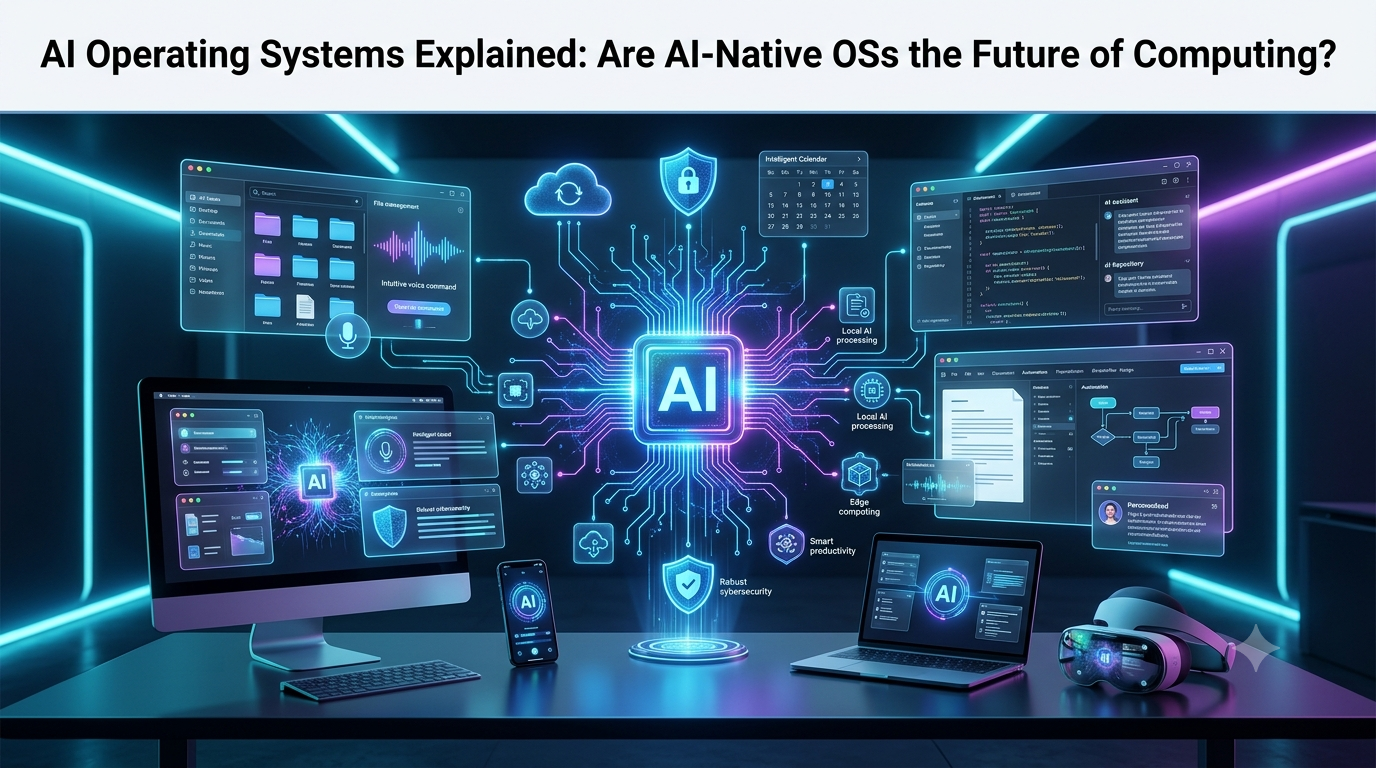
For decades, operating systems have acted as the invisible foundation of modern computing. Whether you’re using Windows, macOS, Linux, Android, or iOS, the operating system is responsible for managing hardware resources, running applications, organizing files, and providing the interface through which users interact with their devices. While operating systems have continuously evolved with better security, cloud integration, and user interfaces, their core design philosophy has remained largely unchanged: users open applications, perform tasks manually, and switch between programs to complete their work.
Artificial intelligence is changing that model entirely.
Instead of forcing users to navigate countless menus, search for files, open multiple applications, and perform repetitive actions, the next generation of operating systems aims to understand what users actually want to accomplish. Rather than asking users which application they want to open, AI-native operating systems ask a different question: What do you want to get done?
This shift represents one of the most significant changes in personal computing since the introduction of graphical user interfaces in the 1980s and the rise of smartphones in the late 2000s.
In 2026, artificial intelligence is no longer limited to chatbots or productivity assistants. AI is becoming deeply integrated into the operating system itself, allowing computers to understand natural language, remember context, coordinate multiple applications, automate workflows, retrieve information intelligently, and even execute complex multi-step tasks with minimal human intervention.
These emerging platforms are known as AI Operating Systems (AI OSs) or AI-native operating systems.
Although fully AI-native operating systems are still in their early stages, many of today’s leading technology companies—including Microsoft, Apple, Google, and numerous AI startups—are steadily moving toward this vision. Features such as intelligent assistants, AI agents, semantic search, on-device AI processing, and cross-application automation are gradually transforming traditional operating systems into intelligent computing platforms.
For businesses, developers, researchers, students, and everyday users, AI operating systems promise a future where computers become proactive digital partners instead of passive software platforms.
This comprehensive guide explains everything you need to know about AI operating systems, including how they work, how they differ from traditional operating systems, the technologies behind them, real-world examples, advantages, challenges, and why many experts believe AI-native operating systems represent the future of computing.
What Is an AI Operating System?
An AI Operating System (AI OS) is an operating system that places artificial intelligence at the center of the user experience rather than treating AI as a separate application.
Unlike traditional operating systems that require users to manually launch applications and perform individual tasks, AI operating systems understand user intent, interpret natural language, coordinate multiple programs, and automate complex workflows.
Instead of acting solely as a resource manager for hardware and software, an AI OS functions as an intelligent orchestration layer that connects applications, files, cloud services, and AI models into a unified experience.
Imagine saying:
“Prepare tomorrow’s client meeting. Summarize the latest emails, gather last month’s sales reports, create a PowerPoint presentation, schedule the meeting for 10 AM, and send the agenda to everyone attending.”
On a traditional operating system, this would require opening Outlook, Excel, PowerPoint, Teams, Calendar, File Explorer, and Email individually.
An AI-native operating system could understand the entire request, determine which applications are needed, retrieve the necessary information, create the presentation, schedule the meeting, draft the email, and ask for approval before sending it—all through a single conversational interaction.
Rather than focusing on software, AI operating systems focus on outcomes.
This shift from application-centric computing to goal-oriented computing is what makes AI operating systems fundamentally different from anything that has come before.
The Evolution of Operating Systems
To understand why AI operating systems matter, it’s helpful to look at how operating systems have evolved over time.
The earliest computers relied entirely on command-line interfaces, requiring users to type precise commands to perform even basic tasks. These systems were powerful but difficult for non-technical users.
The introduction of graphical user interfaces (GUIs) transformed computing by replacing text commands with windows, icons, menus, and a mouse-driven interface. Operating systems such as Microsoft Windows and Apple’s Macintosh made computers accessible to millions of people.
The smartphone revolution introduced touch-first operating systems like Android and iOS, enabling users to interact with devices through gestures, voice commands, and mobile apps.
Today’s AI operating systems represent the next major evolution. Instead of relying primarily on clicks, taps, or typed commands, they allow users to communicate naturally using everyday language, voice, images, documents, or even videos.
The interface itself becomes intelligent.
Rather than searching through folders to locate a document, users can simply ask:
“Find the proposal I edited before my meeting with the marketing team last month.”
Instead of remembering where files are stored, AI understands context, relationships, and user intent.
This contextual understanding marks a fundamental shift in human-computer interaction.
AI Operating Systems vs Traditional Operating Systems
At first glance, AI operating systems may appear similar to existing operating systems that include virtual assistants. However, the difference goes much deeper.
Traditional operating systems are designed primarily to manage hardware resources such as memory, storage, processors, networking, and connected devices. They provide the environment in which software applications run but generally rely on users to initiate every task manually.
If you want to create a report, you open a word processor. If you need to edit an image, you launch image-editing software. If you want to organize files, you manually browse folders.
The operating system facilitates these activities but does not actively participate in accomplishing your goals.
AI-native operating systems add an intelligent reasoning layer above these traditional functions.
Instead of waiting for instructions one step at a time, they understand objectives, break them into smaller actions, coordinate multiple applications, retrieve relevant information, and execute workflows automatically.
In other words, traditional operating systems answer the question:
“Which application would you like to use?”
AI operating systems answer:
“What would you like to accomplish?”
This subtle difference completely changes how users interact with computers.
AI Assistant vs AI Operating System
Many people assume that adding an AI chatbot to Windows or macOS automatically creates an AI operating system. In reality, there’s an important distinction.
An AI assistant is typically one application running inside the operating system. It can answer questions, generate text, summarize documents, or help users complete individual tasks. However, it generally operates within specific boundaries and has limited access to system-wide functions.
An AI operating system goes much further.
Instead of existing as a standalone application, AI becomes a core system service with permission to coordinate applications, understand device context, manage workflows, remember user preferences, access files (with permission), and automate tasks across the entire operating environment.
Think of an AI assistant as an intelligent employee working inside a company.
An AI operating system is more like an experienced project manager who understands every department, coordinates everyone involved, tracks progress, and ensures the final objective is completed efficiently.
This system-level intelligence is what separates AI-native operating systems from today’s AI chat interfaces.
How AI Operating Systems Work
Behind the scenes, AI operating systems combine multiple advanced technologies that work together to create an intelligent computing experience.
At the heart of the system are large language models (LLMs), which enable the operating system to understand natural language, interpret user intent, generate responses, and reason through complex tasks. Instead of relying on rigid commands, the AI can understand conversational requests and adapt to different contexts.
Complementing these models are AI agents, which act as autonomous software workers capable of planning and executing multi-step tasks. Rather than completing a single instruction, an AI agent can determine the sequence of actions required to achieve a larger goal, interact with different applications, retrieve data, and monitor progress until the task is finished.
Another critical component is natural language processing (NLP), which allows users to communicate with the operating system using everyday language instead of memorizing commands or navigating complex menus. Whether typed or spoken, user requests are translated into actionable workflows that the system can execute.
Unlike conventional operating systems, AI-native platforms also rely heavily on context awareness. The system continuously builds an understanding of the user’s current projects, frequently accessed files, preferred applications, schedules, communication history, and working habits. This contextual memory enables more personalized assistance and reduces the need for repetitive instructions.
Finally, multimodal AI allows the operating system to process and understand different forms of input simultaneously, including text, voice, images, videos, PDFs, spreadsheets, presentations, and even live camera feeds. Instead of treating each type of content separately, the AI combines them into a unified understanding of the user’s intent.
Together, these technologies transform the operating system from a passive platform into an intelligent digital partner capable of helping users work faster, smarter, and with far less manual effort.
Core Features of AI Operating Systems
The defining characteristic of an AI operating system is not simply the inclusion of artificial intelligence—it is the way AI becomes deeply integrated into every aspect of computing. Instead of treating AI as an optional feature, AI-native operating systems make intelligence the foundation upon which every interaction is built.
From launching applications to organizing files, managing schedules, automating repetitive work, and assisting with creative projects, AI operates continuously in the background to simplify complex tasks.
Let’s explore the features that make AI operating systems fundamentally different from traditional platforms.
1. Natural Language Becomes the Primary Interface
For decades, computers have required users to learn how the computer works. Users memorize keyboard shortcuts, navigate folders, search through menus, and understand which application performs which task.
AI operating systems reverse this relationship.
Instead of adapting to computers, computers adapt to humans.
Users simply describe what they want in plain English, and the operating system determines how to accomplish it.
For example, instead of opening multiple applications individually, a user could say:
“Create a weekly sales report using the latest CRM data, summarize customer feedback from support tickets, design three presentation slides, and share everything with my sales team.”
The AI understands the request, retrieves the required information, launches the necessary applications behind the scenes, completes the workflow, and presents the finished result.
Natural language becomes the operating system itself.
This dramatically reduces the learning curve for new users while making experienced users significantly more productive.
2. AI Agents: The Brain of AI-Native Operating Systems
Perhaps the biggest innovation in AI operating systems is the introduction of AI agents.
Unlike traditional assistants that simply answer questions, AI agents are autonomous software systems capable of planning, reasoning, and executing complex workflows.
Think of an AI agent as a highly capable digital employee rather than a chatbot.
Instead of asking one question at a time, users assign objectives.
For example:
“Research our top five competitors, compare their pricing, create a spreadsheet, write a summary report, design presentation charts, and email everything before tomorrow morning.”
An AI agent can break this request into multiple smaller tasks.
First, it gathers information from trusted online sources.
Next, it extracts pricing information and organizes it into a spreadsheet.
It then identifies important trends, creates visual charts, writes an executive summary, prepares presentation slides, and drafts an email with all attachments ready for approval.
Throughout the process, the agent monitors progress, resolves dependencies, and adjusts its actions when new information becomes available.
Instead of requiring continuous user supervision, AI agents work independently until the task is complete.
This represents a fundamental shift from command-based computing to goal-based computing.
3. Persistent Memory and Context Awareness
One of the biggest frustrations with today’s software is having to repeat information repeatedly.
Users constantly explain projects, upload the same documents, reopen frequently used files, and provide identical instructions every day.
AI operating systems solve this problem through persistent memory.
Rather than treating every interaction as isolated, the operating system gradually builds a secure understanding of the user’s preferences, ongoing work, communication style, frequently used tools, and project history.
Over time, the system remembers:
- Frequently accessed files
- Active business projects
- Preferred writing style
- Favorite software applications
- Daily schedules
- Team members
- Common workflows
- Frequently contacted clients
- Personal productivity habits
Suppose a project manager says:
“Continue working on the product launch plan.”
Instead of asking which project they mean, the operating system already understands the relevant documents, meetings, emails, spreadsheets, timelines, and collaborators associated with that project.
The AI instantly resumes work without requiring additional context.
This continuous memory makes computing feel significantly more natural and personalized.
4. Semantic Search Replaces Traditional File Search
Finding files has always been one of the weakest aspects of traditional operating systems.
Users often struggle to remember exact filenames, folder locations, or creation dates.
AI operating systems replace keyword-based search with semantic search.
Rather than searching for exact words, the AI understands meaning.
For example, users can ask:
“Find the proposal I edited before my meeting with the healthcare client last month.”
or
“Locate the spreadsheet containing last quarter’s advertising expenses.”
The AI searches based on context instead of filenames.
It understands relationships between meetings, emails, documents, people, projects, and dates.
This dramatically improves productivity, especially for professionals managing thousands of files.
5. Intelligent Cross-Application Automation
Traditional operating systems treat applications as separate environments.
Moving information between programs usually requires copying, pasting, exporting, importing, and manually switching windows.
AI operating systems eliminate much of this friction.
Because the AI understands multiple applications simultaneously, it can coordinate workflows across them automatically.
Imagine receiving a customer complaint through email.
An AI-native operating system could automatically:
Read the email.
Identify the customer’s issue.
Retrieve previous communication history.
Open the CRM.
Update customer records.
Generate a personalized response.
Schedule a follow-up reminder.
Notify the customer support manager.
Create an internal task for the engineering team if necessary.
All of these actions occur within a single coordinated workflow rather than requiring employees to manually operate six different applications.
6. Multimodal Computing
Another defining feature of AI operating systems is multimodal intelligence.
Traditional software typically processes one type of information at a time.
Documents remain documents.
Images remain images.
Audio remains audio.
AI operating systems combine all of these formats into a single understanding.
Users might upload:
- A PDF report
- An Excel spreadsheet
- Several product images
- Meeting recordings
- Customer emails
- Handwritten notes
The AI analyzes every source together.
For example, a business owner could ask:
“Review these financial reports, compare them with customer feedback, identify major business challenges, and create an action plan.”
The operating system understands text, numbers, charts, speech recordings, and images simultaneously before generating comprehensive recommendations.
This unified understanding enables much deeper reasoning than traditional software.
7. Voice-First Computing
Voice assistants have existed for years, but their capabilities have generally been limited to simple commands.
AI operating systems transform voice into a complete computing interface.
Instead of saying:
“Open Calendar.”
Users can naturally say:
“Move tomorrow’s afternoon meetings to Friday, notify everyone attending, reserve the conference room, and update my task list accordingly.”
The AI understands intent, confirms important actions when necessary, and completes the workflow.
As speech recognition continues improving, many users may interact with computers primarily through conversation instead of keyboards and mice.
8. Personalized Productivity
Every person works differently.
Some prefer email.
Others rely on messaging apps.
Some organize information by folders, while others use tags or search.
AI operating systems continuously learn these habits and optimize workflows accordingly.
A writer might automatically receive distraction-free writing environments during scheduled work sessions.
A software developer might have coding tools, documentation, Git repositories, and testing environments prepared before beginning work.
Sales professionals could see customer information, CRM updates, meeting schedules, and communication history automatically organized before each client call.
Rather than forcing everyone into identical workflows, AI adapts the computing experience to individual users.
Real-World Examples of AI Operating Systems
Although no mainstream operating system has become fully AI-native yet, several companies are already moving rapidly toward this future.
Microsoft has integrated Copilot deeply into Windows, allowing users to search files, summarize documents, generate content, automate settings, and interact with their PCs using natural language. With Recall, Click to Do, and AI-powered system features on Copilot+ PCs, Windows is steadily evolving beyond a traditional desktop operating system.
Apple is embedding Apple Intelligence throughout iOS, iPadOS, and macOS. Instead of functioning as a standalone chatbot, Apple’s approach integrates AI directly into writing tools, notifications, image creation, Siri, and on-device intelligence while emphasizing user privacy.
Google is expanding Gemini across Android, ChromeOS, Workspace, and Pixel devices. AI now assists with writing, searching, translation, productivity, image understanding, and application interactions, moving Android closer to an intelligent operating environment.
The Linux open-source community is also experimenting with AI-native desktop environments, local AI assistants, open-source language models, and agent-based operating system concepts. These projects aim to provide transparent, customizable AI operating systems that users can run entirely on their own hardware.
Meanwhile, startups are exploring entirely new AI-first computing platforms where users interact primarily through conversational interfaces rather than traditional application windows.
These developments suggest that AI operating systems are no longer theoretical concepts—they are actively emerging across both commercial and open-source ecosystems.
AI Operating Systems for Businesses
While AI operating systems will undoubtedly change personal computing, their biggest impact may be felt in the business world. Organizations spend countless hours every week on repetitive administrative work, switching between applications, searching for information, preparing reports, responding to emails, scheduling meetings, and coordinating projects across departments.
An AI-native operating system has the potential to automate many of these routine activities.
Instead of employees manually managing dozens of software applications, the operating system itself becomes an intelligent coordinator that connects people, data, and business tools into a single workflow.
Imagine a sales manager preparing for an important client meeting. Rather than collecting information manually from a CRM, email inbox, spreadsheets, previous meeting notes, and presentation software, the AI operating system automatically gathers customer history, summarizes previous conversations, analyzes sales trends, prepares presentation slides, highlights potential risks, and drafts follow-up emails before the meeting even begins.
Similarly, HR teams could automate candidate screening, schedule interviews, generate offer letters, and organize onboarding documents with minimal manual effort.
Marketing departments could instruct the AI to research competitors, identify trending topics, generate campaign ideas, design presentation materials, and prepare performance reports without constantly switching between applications.
Finance teams could automatically analyze monthly transactions, identify unusual spending patterns, forecast cash flow, generate executive reports, and notify decision-makers about important financial changes.
Instead of functioning as another productivity tool, the operating system becomes an intelligent business assistant capable of coordinating work across every department.
AI Operating Systems and Workflow Automation
Workflow automation is one of the strongest reasons AI operating systems are attracting attention.
Traditional automation platforms require users to build complex “if-this-then-that” workflows using predefined rules.
AI operating systems take a much more flexible approach.
Rather than following rigid instructions, the AI understands objectives, reasons through multiple possibilities, adapts when circumstances change, and selects the most appropriate actions.
For example, consider a customer support workflow.
When a customer submits a complaint, the operating system could automatically read the message, determine its urgency, retrieve the customer’s purchase history, identify previous support conversations, search the company’s knowledge base, draft a personalized response, create an internal support ticket, assign it to the correct team, schedule reminders, and notify managers if the issue requires escalation.
What previously required several employees and multiple software applications can become one intelligent, coordinated process.
On-Device AI vs Cloud-Based AI
One of the biggest debates surrounding AI operating systems is whether artificial intelligence should run locally on the user’s device or in the cloud.
Cloud-based AI has dominated the industry because powerful language models require enormous computing resources. When users submit a request, information is sent to remote servers where advanced AI models generate responses before returning the results.
This approach provides access to extremely capable models but also introduces challenges related to privacy, internet dependency, latency, and operational costs.
AI operating systems are increasingly adopting a hybrid approach.
Smaller language models now run directly on laptops, smartphones, and desktop computers equipped with modern AI processors or NPUs (Neural Processing Units).
Local AI offers several advantages.
Because information remains on the device, sensitive files, emails, and business documents do not always need to leave the user’s computer. Responses are also significantly faster since requests do not depend on internet connectivity.
For everyday tasks such as summarizing documents, organizing files, searching emails, or rewriting text, local AI often provides excellent performance while protecting user privacy.
More computationally intensive tasks can still be handled through secure cloud services when necessary.
This combination of local intelligence and cloud capabilities is likely to become the standard architecture for future AI operating systems.
Privacy and Security Challenges
As AI operating systems become more capable, they also require access to far more information than traditional operating systems.
To provide intelligent assistance, the AI may need permission to read emails, analyze documents, search calendars, understand contacts, monitor active projects, and coordinate multiple applications.
This creates understandable concerns about privacy.
Users need confidence that personal data remains secure and that AI systems only access information necessary to complete requested tasks.
Future AI operating systems will likely rely on permission-based architectures where users decide exactly what information AI can access.
Encryption, secure local processing, private AI models, and transparent audit logs will become increasingly important.
Security presents another challenge.
An AI system capable of controlling applications, modifying files, sending emails, and interacting with financial software must be carefully protected against cyberattacks.
If malicious actors gained access to such powerful AI capabilities, the consequences could be significant.
Operating system developers are therefore investing heavily in secure AI execution environments, identity verification, model safety, and continuous monitoring.
Challenges Facing AI Operating Systems
Although AI operating systems offer enormous potential, several technical and practical challenges remain before they become mainstream.
Accuracy continues to be one of the biggest concerns. Even today’s most advanced AI models occasionally misunderstand instructions or generate incorrect information. When AI begins managing important workflows, these mistakes become more significant.
Hardware requirements also present challenges. Running advanced AI models locally requires powerful processors, dedicated NPUs, increased memory, and larger storage capacities. While hardware continues improving rapidly, not every device is currently capable of supporting sophisticated AI workloads.
Software compatibility is another obstacle. Existing applications were designed for traditional operating systems. Developers must create standardized interfaces that allow AI agents to interact safely and reliably across thousands of different programs.
Trust remains equally important.
Many users will hesitate to allow AI systems to send emails, modify important documents, schedule meetings, or make business decisions without sufficient transparency and human oversight.
Building reliable AI systems that explain their reasoning will be essential for widespread adoption.
The Future of AI Operating Systems
Despite these challenges, the future of AI operating systems appears remarkably promising.
Over the next decade, operating systems are expected to evolve from passive software platforms into intelligent digital partners that continuously assist users throughout the day.
Instead of opening applications manually, users will increasingly describe goals.
The operating system will determine which applications, documents, services, and AI agents are required before completing the work automatically.
Future AI operating systems may include autonomous AI agents that collaborate with one another to complete complex projects.
A research agent might gather information.
A writing agent could prepare reports.
A design agent could create graphics.
A presentation agent could organize slides.
A scheduling agent could coordinate meetings.
Together, these specialized AI agents would function like an intelligent digital workforce operating under the supervision of the user.
Personalization will become far more sophisticated.
AI operating systems may understand work habits, preferred communication styles, recurring projects, productivity patterns, and long-term goals.
Instead of reacting to requests, the operating system may proactively prepare relevant documents before meetings, recommend important tasks based on deadlines, identify potential scheduling conflicts, and suggest workflow improvements before problems arise.
Cross-device intelligence will also improve dramatically.
Rather than treating smartphones, laptops, tablets, smart glasses, and wearable devices as separate products, AI operating systems will coordinate them into one continuous computing experience.
A task started on a smartphone during a commute could seamlessly continue on a desktop computer at the office before being completed on a tablet during a meeting.
As multimodal AI continues advancing, future operating systems will understand text, voice, images, video, gestures, handwritten notes, and real-world environments simultaneously.
Computers will increasingly understand not just what users type—but what they see, hear, and intend to accomplish.
By 2030, many experts believe operating systems will become increasingly invisible.
Users will spend less time navigating applications and more time collaborating directly with intelligent AI systems capable of handling much of the underlying complexity automatically.
Will AI Operating Systems Replace Traditional Operating Systems?
The answer is both yes and no.
Traditional operating systems will continue performing essential low-level functions such as memory management, hardware control, networking, security, storage management, and application execution.
These responsibilities remain fundamental to computing and are unlikely to disappear.
However, the way users interact with operating systems is expected to change dramatically.
Instead of relying primarily on icons, windows, menus, and applications, AI will become the primary interface through which users communicate with their devices.
Rather than replacing traditional operating systems entirely, AI will transform them into intelligent computing platforms where automation, reasoning, personalization, and natural conversation become everyday experiences.
In many ways, future operating systems may look familiar underneath while feeling completely different on the surface.
Conclusion
AI operating systems represent one of the most significant technological shifts since the introduction of graphical user interfaces and mobile computing. By placing artificial intelligence at the heart of the operating system, they move beyond simply managing hardware and software to actively helping users achieve their goals.
Through natural language interaction, AI agents, persistent memory, semantic search, multimodal understanding, and intelligent workflow automation, AI-native operating systems promise a future where computers become proactive collaborators rather than passive tools. Instead of forcing users to learn increasingly complex software, these systems allow people to focus on outcomes while AI handles much of the underlying complexity.
Although challenges around privacy, security, hardware requirements, accuracy, and user trust still need to be addressed, the momentum behind AI-native computing is undeniable. Companies such as Microsoft, Apple, Google, along with numerous startups and open-source communities, are already integrating AI deeper into their operating systems with every new release.
The future of computing is no longer centered around applications—it is centered around intelligence.
Over the coming years, the question will no longer be, “Which app should I open?” Instead, users will simply ask, “What do I want to accomplish today?” An AI operating system will understand the intent, coordinate the necessary tools, and complete much of the work automatically.
For individuals, businesses, and developers alike, AI operating systems are poised to redefine how we interact with technology, making computing more intuitive, productive, and personalized than ever before.




Leave a Reply