

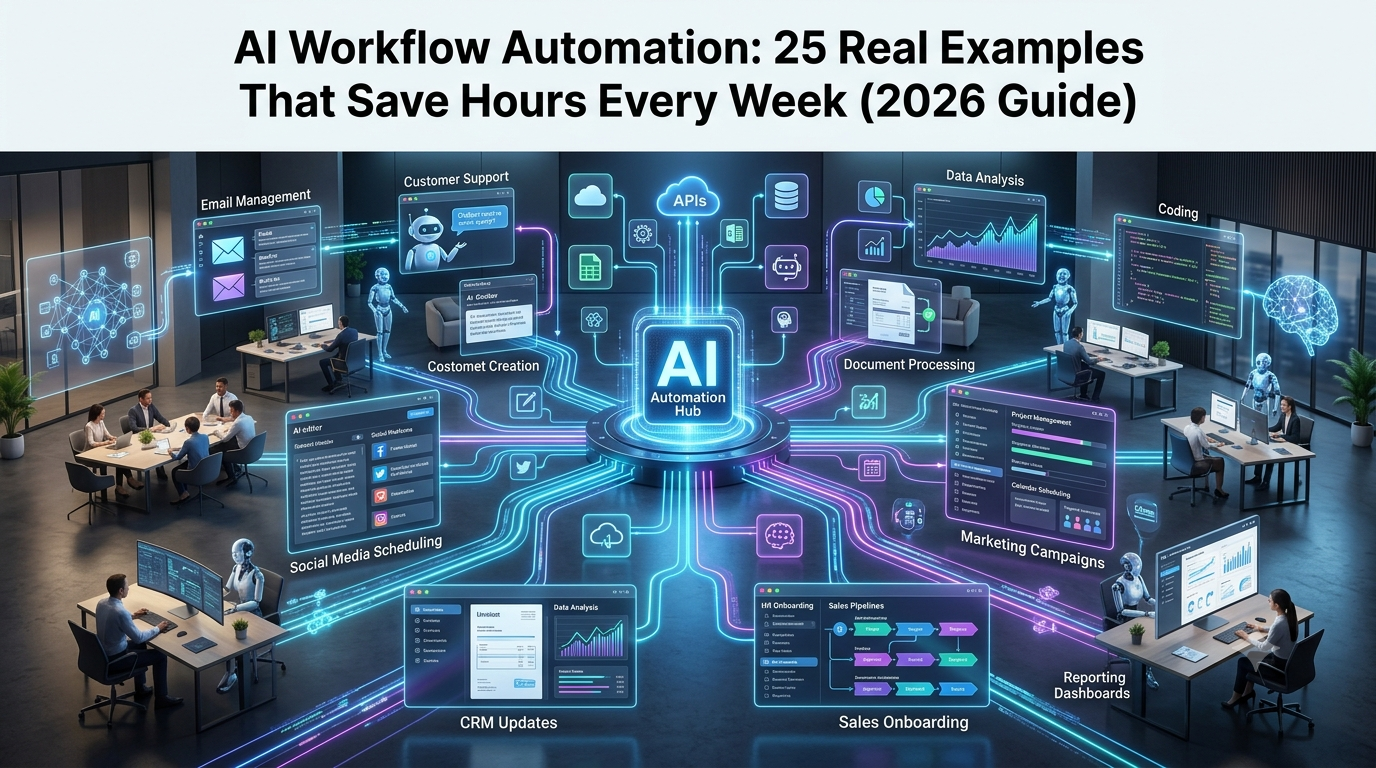
Work has become increasingly digital, but many professionals still spend a large portion of their day managing repetitive tasks. Checking emails, organizing documents, preparing reports, updating databases, creating content, scheduling meetings, analyzing data, and responding to customer queries are all necessary activities, but they often consume valuable time that could be spent on more strategic work.
This is where AI workflow automation is transforming modern productivity.
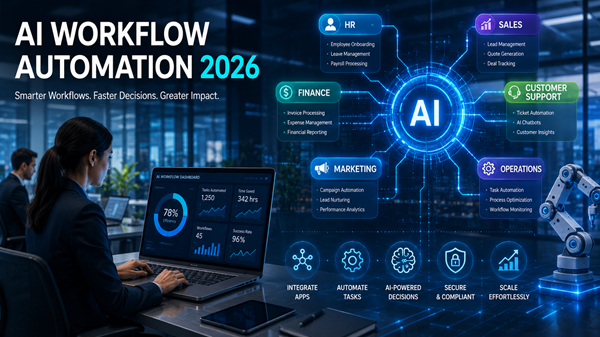
AI workflow automation combines artificial intelligence with automation systems to create intelligent processes that can understand information, make decisions, and complete tasks with minimal human involvement. Instead of simply following fixed instructions, AI-powered workflows can analyze situations, recognize patterns, generate content, and adapt actions based on context.
For example, traditional automation can send a confirmation email after a customer completes a purchase. An AI-powered workflow can go much further. It can analyze customer behavior, identify their interests, personalize communication, update customer records, recommend products, and notify the sales team if additional action is required.
In 2026, AI workflow automation is no longer limited to large enterprises with expensive technology systems. Freelancers, marketers, content creators, developers, entrepreneurs, and small businesses are increasingly using AI-powered workflows to save time and improve efficiency.
From automatically managing emails and creating marketing campaigns to analyzing business data and supporting customers, AI workflows are helping people complete complex tasks faster than ever before.
This guide explains what AI workflow automation is, how it works, the difference between traditional automation and AI automation, real-world examples, popular tools, benefits, challenges, and the future of AI-powered workflows.
What Is AI Workflow Automation?
AI workflow automation is the use of artificial intelligence to automate multi-step processes that previously required human effort, decision-making, or manual management.
A workflow is simply a sequence of connected actions designed to complete a specific task. Traditional workflows depend on predefined rules, meaning they can only perform actions they have been specifically programmed to execute.
For example, a traditional automation system may follow a simple process:
A customer fills out a contact form → Information is added to a database → An automatic email is sent.
This works well for predictable tasks, but it struggles when situations become more complicated.
AI workflow automation introduces intelligence into the process. Instead of only following instructions, the system can understand information and decide what action should happen next.
For example:
A customer sends a complaint → AI analyzes the message → Identifies the issue → Reviews customer history → Creates a suitable response → Updates the support system → Assigns the case to the correct employee.
The ability to understand context is what makes AI workflow automation different from traditional automation.
AI-powered workflows combine technologies such as artificial intelligence models, machine learning, natural language processing, AI agents, APIs, and business applications to create smarter automated systems.
Why AI Workflow Automation Is Becoming Important in 2026
The amount of digital information created every day continues to grow. Businesses now manage thousands of emails, documents, customer conversations, transactions, and data points.
Human teams can handle only a limited amount of repetitive work. AI workflow automation helps organizations manage increasing workloads without constantly increasing staff or resources.
Another major reason behind the growth of AI automation is the improvement of modern AI models. Earlier automation systems could only perform simple rule-based actions. Today’s AI systems can understand language, analyze complex information, generate content, and interact with multiple software applications.
This has created a new generation of intelligent workflows where AI does not just complete individual tasks but helps manage entire processes.
For businesses, this means faster operations and lower costs.
For professionals, it means less time spent on repetitive activities and more time focused on creativity, strategy, and decision-making.
Traditional Automation vs AI Workflow Automation
Traditional automation and AI workflow automation both aim to reduce manual work, but they operate differently.
Traditional automation depends on fixed rules. It works best when the process is predictable and does not require interpretation.
Examples include automatically sending invoices, moving files, creating calendar events, or transferring information between applications.
AI workflow automation is designed for situations where understanding and decision-making are required.
For example, an AI system can analyze customer emails, understand the customer’s intention, determine urgency, and decide how the request should be handled.
The biggest difference is flexibility.
Traditional automation answers the question:
“What action should happen when a specific event occurs?”
AI workflow automation answers a more advanced question:
“What is the best action to achieve this goal based on the available information?”
This makes AI workflows more useful for complex business processes.
How Does AI Workflow Automation Work?
AI workflow automation usually involves several connected stages that allow the system to receive information, analyze it, make decisions, and complete actions.
1. Triggering the Workflow
Every workflow begins with a trigger. A trigger is an event that starts the automation process.
This could be receiving a new email, uploading a document, submitting a customer form, completing an online purchase, or adding new information to a database.
Once the trigger occurs, the AI workflow begins processing the task.
2. Collecting Information
After activation, the workflow gathers the necessary information required to complete the task.
The data may come from emails, websites, databases, cloud storage platforms, customer relationship management systems, or internal company applications.
AI systems can combine information from multiple sources to create a complete understanding of the situation.
3. AI Analysis and Decision Making
This is the stage where AI creates value.
The system analyzes the information, understands context, identifies patterns, and determines the appropriate next step.
For example, an AI customer support workflow can identify whether a message is a refund request, technical issue, general question, or urgent complaint.
4. Taking Automated Action
After making a decision, the workflow performs the required action.
This may include creating content, sending messages, updating records, generating reports, scheduling meetings, or assigning tasks.
5. Human Review and Improvement
Although AI automation is becoming more advanced, human supervision remains important.
Many businesses use approval steps where AI handles routine work while humans review important decisions.
This approach creates a balance between automation and human control.
AI Workflow Automation vs AI Agents
AI workflow automation and AI agents are closely related concepts, especially in 2026, but they serve slightly different purposes.
A workflow usually follows a defined process.
For example:
“When a customer submits a request, analyze the message and send a response.”
An AI agent is more independent and goal-focused.
Instead of following a fixed process, an AI agent receives an objective and decides which actions are required to achieve it.
For example:
“Improve customer satisfaction.”
The AI agent may analyze customer complaints, identify common issues, suggest improvements, communicate with customers, and create reports.
Modern AI systems increasingly combine both approaches. AI agents use workflows to complete tasks, while AI workflows use AI agents to make smarter decisions.
This combination is creating more autonomous business systems where AI can manage complex processes with limited human involvement.
Benefits of AI Workflow Automation
Saves Time on Repetitive Tasks
One of the biggest advantages of AI workflow automation is reducing the amount of time spent on repetitive activities.
Tasks such as sorting emails, preparing reports, analyzing documents, and updating records can often be completed automatically.
This allows professionals to focus on activities that require creativity and human judgment.
Improves Productivity
AI workflows help individuals and teams complete more work without increasing their workload.
A marketing team can create content faster.
A sales team can manage more leads.
A business owner can analyze performance data without spending hours preparing reports.
Reduces Human Errors
Manual processes often lead to mistakes, especially when handling large amounts of information.
AI automation improves accuracy by analyzing data consistently and reducing repetitive manual input.
Provides Faster Responses
Businesses can respond to customers, employees, and partners much faster when AI handles routine communication.
This improves customer experience and overall efficiency.
Reduces Operational Costs
By automating time-consuming processes, businesses can reduce unnecessary manual effort and improve resource management.
25 Real Examples of AI Workflow Automation
1. AI Email Management
Email management is one of the most common productivity challenges for professionals. Many people spend hours every week reading, organizing, and responding to messages.
AI email workflows can analyze incoming messages, identify important conversations, summarize long threads, draft responses, and create reminders for follow-up tasks.
For example, an AI assistant can automatically identify urgent customer requests while separating newsletters and low-priority messages.
This allows professionals to focus on important communication instead of managing inboxes manually.
2. AI Meeting Summaries and Note Taking
Meetings often require additional work after they end. Someone needs to write notes, identify decisions, and track follow-up actions.
AI meeting workflows can automatically convert conversations into transcripts, summarize discussions, highlight important decisions, and create task lists.
This saves teams hours every week and ensures important information is not lost.
3. AI Customer Support Automation
Customer support is one of the areas where AI automation has created significant improvements.
AI workflows can read customer questions, understand problems, search internal knowledge bases, suggest solutions, and route complex issues to human employees.
Businesses can provide faster support while reducing the workload on customer service teams.
4. AI Content Creation Workflows
Content creation involves many repetitive steps, including research, writing, editing, optimization, and publishing.
AI workflows can help creators research topics, generate content ideas, create outlines, improve writing quality, optimize articles for search engines, and prepare social media content.
For bloggers, marketers, and businesses, AI automation can significantly speed up content production.
5. AI SEO Automation
SEO requires continuous research and analysis. Professionals need to track competitors, discover keywords, monitor rankings, and optimize content.
AI workflow automation can assist with keyword research, competitor analysis, SEO reporting, content improvement suggestions, and website performance monitoring.
This allows SEO professionals to spend more time on strategy instead of repetitive analysis.
6. AI Social Media Management Workflows
Managing social media requires constant planning, content creation, publishing, and performance analysis. For businesses and creators, maintaining an active presence across multiple platforms can become time-consuming.
AI-powered social media workflows can help automate different stages of content management. They can analyze trending topics, generate post ideas, create captions, suggest hashtags, schedule posts, and review engagement data to identify what content performs best.
For example, a marketing team can create a workflow where AI analyzes industry trends every week, generates content suggestions, prepares drafts, and sends them for approval before publishing.
This allows teams to maintain consistent social media activity while reducing manual effort.
7. AI Lead Generation Automation
Finding potential customers is an important but time-consuming part of sales.
AI workflow automation can help businesses identify, analyze, and organize leads more efficiently. AI systems can collect information from websites, forms, emails, and customer interactions to understand which prospects are most valuable.
A typical AI lead generation workflow can identify new leads, analyze customer information, assign lead scores, create personalized messages, and update CRM systems automatically.
Sales teams can then focus their time on the most promising opportunities.
8. AI Sales Follow-Up Automation
Following up with customers at the right time can significantly impact sales success. However, manually tracking every conversation is difficult for large sales teams.
AI workflows can monitor customer interactions, identify when follow-up is required, create personalized emails, recommend the next action, and update sales records.
Instead of relying on employees to remember every interaction, AI ensures that important opportunities are not missed.
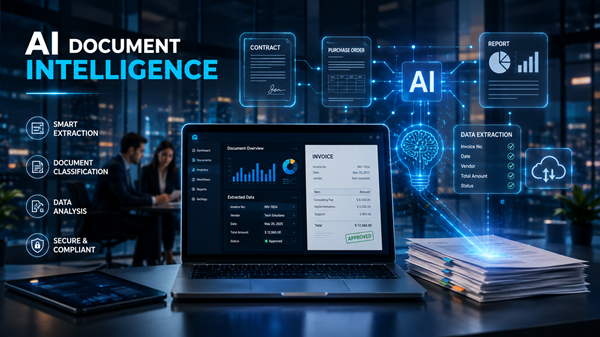
9. AI Document Processing
Businesses handle thousands of documents, including contracts, reports, invoices, applications, and customer records.
Manually reviewing and organizing these documents can consume significant time.
AI workflow automation can extract important information, classify documents, summarize content, and transfer relevant data into business systems.
For example, a legal team can use AI to analyze contracts and highlight important clauses, while a finance team can automatically extract information from invoices.
10. Automated Report Generation
Creating reports often requires collecting data from multiple sources, organizing information, and preparing summaries.
AI workflows can automatically gather information from databases, analytics platforms, spreadsheets, and business applications to generate reports.
Businesses can use AI-generated reports for sales performance, marketing analysis, financial tracking, and operational reviews.
This helps managers access important insights faster without spending hours preparing documents.
11. AI Calendar and Task Management
Managing schedules can become difficult when professionals handle multiple projects, meetings, and deadlines.
AI calendar workflows can analyze priorities, organize schedules, suggest meeting times, create reminders, and help users manage daily tasks.
Instead of manually arranging calendars, professionals can rely on AI assistants to optimize their time.
12. AI Data Entry Automation
Data entry remains one of the most repetitive workplace tasks.
Employees often spend hours transferring information between documents, spreadsheets, and business systems.
AI workflows can automatically read information from emails, forms, PDFs, and documents, then enter the data into the correct systems.
This reduces manual work and improves accuracy.
13. AI Invoice Processing
Finance departments regularly process large numbers of invoices.
AI automation can read invoices, extract payment details, compare information with existing records, identify errors, and update accounting software.
This allows finance teams to complete routine processing faster and focus on more valuable financial analysis.
14. AI Recruitment Automation
Hiring involves many repetitive activities, including reviewing resumes, scheduling interviews, and communicating with applicants.
AI recruitment workflows can analyze resumes, identify suitable candidates, organize applicant information, schedule interviews, and create candidate summaries.
Recruiters can spend more time evaluating candidates rather than handling administrative tasks.
15. AI Research Assistance
Research is an essential part of many professions, including marketing, journalism, education, and business strategy.
AI research workflows can collect information from multiple sources, summarize articles, compare data, organize notes, and create research documents.
For example, a marketer researching competitors can use AI to gather information, identify trends, and prepare a summary report.
16. AI Website Monitoring
Websites require continuous monitoring to ensure they remain available and perform properly.
AI-powered monitoring workflows can detect downtime, broken links, unusual activity, performance issues, and technical problems.
When an issue is detected, the system can automatically send alerts or create support tickets.
This helps businesses maintain reliable online experiences.
17. AI Customer Feedback Analysis
Customer opinions are valuable sources of business information, but analyzing thousands of reviews and comments manually is difficult.
AI workflows can analyze customer reviews, surveys, social media discussions, and support conversations to identify common complaints, customer preferences, and emerging trends.
Businesses can use these insights to improve products and services.
18. AI Personal Productivity Assistants
AI workflow automation is not only useful for businesses. Individuals can also use AI assistants to organize their daily work.
Personal AI workflows can manage reminders, summarize documents, organize notes, draft messages, plan schedules, and help users complete routine tasks.
For professionals, this creates a more efficient personal productivity system.
19. AI Software Development Workflows
Developers are increasingly using AI automation throughout the software development process.
AI coding workflows can generate code, review programming errors, create documentation, analyze security issues, suggest improvements, and automate testing.
Development teams can complete projects faster while reducing repetitive coding tasks.
20. AI Translation Workflows
Global companies often need to translate documents, websites, emails, and marketing materials into multiple languages.
AI translation workflows can automatically translate content while maintaining consistency across different platforms.
Businesses can communicate with international audiences faster and more efficiently.
21. AI E-commerce Automation
Online stores manage many repetitive operations, including product updates, customer communication, inventory tracking, and marketing activities.
AI workflows can generate product descriptions, analyze customer behavior, recommend products, monitor inventory, and automate customer messages.
This helps e-commerce businesses improve customer experiences while reducing operational workload.
22. AI Financial Analysis
Financial analysis requires reviewing large amounts of data and identifying important patterns.
AI workflows can analyze expenses, create summaries, detect unusual activity, prepare forecasts, and generate financial reports.
Businesses can make faster decisions using AI-powered insights.
23. AI Knowledge Management
Organizations store large amounts of internal information, including documents, policies, training materials, and company resources.
AI knowledge management workflows can organize this information and make it easier for employees to find answers.
For example, an employee can ask an AI assistant a question and receive information from company documents instantly.
24. AI Video Creation Workflows
Video production involves many separate tasks, including scripting, editing, subtitle creation, and publishing.
AI workflows can automate several stages of video production.
Creators can use AI to generate scripts, create captions, summarize videos, produce thumbnails, and repurpose long videos into short-form content.
This helps creators produce more content in less time.
25. Complete AI Business Process Automation
The most advanced use of AI workflow automation is automating complete business processes.
Instead of automating one small task, companies can connect multiple workflows together.
Examples include customer onboarding, employee onboarding, marketing campaigns, sales operations, and internal approval processes.
An AI-powered business workflow can collect information, analyze requirements, communicate with different teams, update systems, and generate reports automatically.
This represents the future of workplace automation.
Popular AI Workflow Automation Tools in 2026
The growth of AI automation has created many platforms that allow individuals and businesses to build intelligent workflows without extensive programming knowledge.
Zapier AI
Zapier is one of the most widely used automation platforms. It connects thousands of applications and allows users to create automated workflows between different tools.
With AI features, users can create smarter workflows that understand information and perform more advanced actions.
Make
Make provides visual workflow automation that allows users to connect applications and create complex automation systems.
It is popular among marketers, businesses, and professionals who need more flexibility than simple automation tools.
n8n
n8n is an open-source workflow automation platform designed for users who want greater customization and control.
Developers and technical teams often use n8n to create advanced AI-powered workflows.
Microsoft Power Automate
Microsoft Power Automate helps businesses automate workflows across Microsoft applications such as Excel, Outlook, Teams, and other enterprise systems.
It is especially useful for organizations already using Microsoft products.
Gumloop
Gumloop focuses on AI-native workflow automation, allowing users to create workflows where AI performs research, analysis, and complex tasks.
It is becoming popular among teams looking to automate knowledge-based work.
How to Start Using AI Workflow Automation
Starting with AI workflow automation does not require automating every process immediately.
The best approach is to begin with simple, repetitive tasks that consume the most time.
First, identify activities that happen regularly. These could include managing emails, creating reports, organizing customer information, or preparing content.
Next, choose an automation tool that matches your requirements. Businesses may prefer enterprise platforms, while individuals may benefit from simpler AI automation tools.
After creating a workflow, test it carefully. AI systems can make mistakes, so reviewing results during the early stages is important.
Once the workflow performs reliably, it can be expanded to handle more complex tasks.
Challenges of AI Workflow Automation
Although AI workflow automation offers significant advantages, organizations should also understand its limitations.
One major challenge is accuracy. AI systems can sometimes generate incorrect information or make unsuitable decisions, especially when dealing with unclear instructions.
Security and privacy are also important considerations. Businesses must ensure that sensitive information is protected when AI systems access company data.
Another challenge is workflow design. Poorly planned automation can create unnecessary complexity instead of improving efficiency.
Human oversight remains essential, especially for financial decisions, customer communication, healthcare processes, and other sensitive areas.
The goal of AI automation is not to remove humans from the process but to help people work more effectively.
Future of AI Workflow Automation
AI workflow automation is expected to become even more powerful in the coming years.
Future AI systems will move beyond simple task automation and become more autonomous. AI agents will manage longer workflows, communicate with different applications, and complete complex business processes with minimal supervision.
Businesses will increasingly use AI automation for operations, customer experience, research, marketing, software development, and decision-making.
Another important trend will be the rise of natural language automation. Instead of building workflows manually, users will simply describe what they want the AI system to accomplish.
For example:
“Create a weekly marketing report, analyze competitor activity, and send recommendations every Monday.”
The AI system will create and manage the workflow automatically.
As AI technology improves, workflow automation will become an essential skill for professionals across industries.
Conclusion
AI workflow automation is changing the way individuals and businesses complete everyday tasks. By combining artificial intelligence with automation technology, organizations can create smarter systems that save time, reduce repetitive work, and improve productivity.
From email management and content creation to customer support, sales automation, research, and complete business processes, AI workflows are helping people accomplish more with fewer manual steps.
The biggest advantage of AI automation is not simply speed. It gives people more time to focus on creativity, strategy, problem-solving, and innovation.
In 2026, understanding AI workflow automation is becoming increasingly important for professionals, entrepreneurs, and businesses that want to work smarter in an AI-driven world.







Leave a Reply