

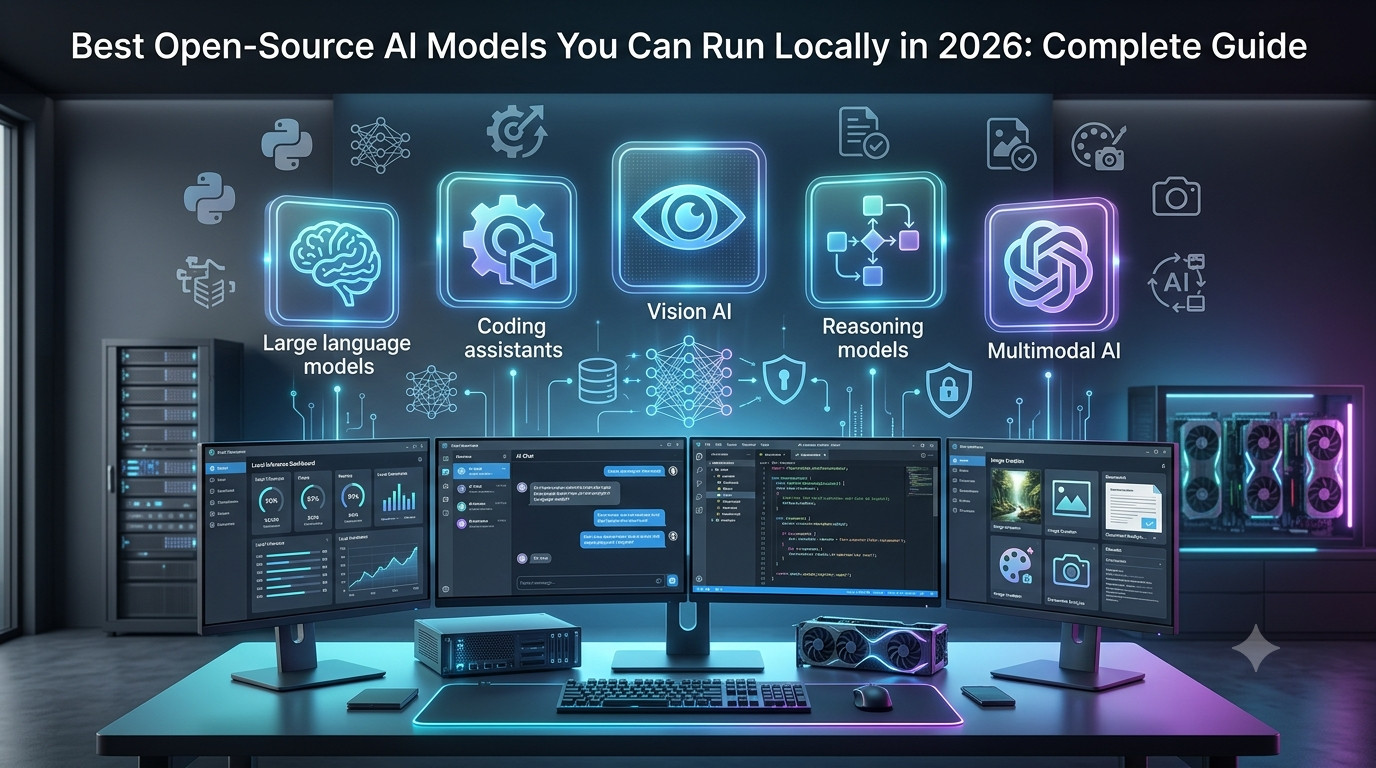
Artificial intelligence has transformed the way people write, code, analyze data, create content, and automate everyday work. While cloud-based AI services such as ChatGPT, Gemini, and Claude have become incredibly powerful, they are not always the ideal solution for every user. Many developers, businesses, researchers, and privacy-conscious individuals are now turning to open-source AI models that can run locally on their own computers or servers.
Running AI locally gives users complete control over their data, eliminates dependency on cloud APIs, and enables AI to work even without an internet connection. Instead of sending sensitive documents, source code, or business information to external servers, all processing happens on your own hardware. This makes local AI particularly attractive for organizations working with confidential information, developers building private AI applications, and users who want to avoid recurring subscription costs.
The open-source AI ecosystem has also evolved dramatically. Models that once required expensive enterprise hardware can now run efficiently on modern laptops and desktops thanks to advances in model architecture, quantization, and optimized inference engines. Powerful open-weight models are capable of writing high-quality content, generating code, solving mathematical problems, analyzing documents, translating languages, creating AI agents, and even powering multimodal applications.
At the same time, easy-to-use tools such as Ollama, LM Studio, Open WebUI, and llama.cpp have made running AI locally far simpler than it was just a few years ago. Installing a powerful language model often takes only a few commands, allowing beginners and professionals alike to build private AI assistants within minutes.
Choosing the right model, however, is becoming more challenging. New models are released regularly, each offering different strengths in reasoning, coding, multilingual understanding, speed, context length, and hardware efficiency. Some models are designed for lightweight laptops, while others are optimized for high-performance GPU workstations and enterprise deployments.
This comprehensive guide explains everything you need to know about running AI locally in 2026. You’ll learn how local AI works, the difference between open-source and open-weight models, hardware requirements, the best open-source AI models available today, recommended software for running them, practical use cases, and how to choose the right model for your specific needs.
What Is a Local AI Model?
A local AI model is an artificial intelligence model that runs directly on your computer, workstation, or private server instead of processing requests through a cloud provider.
When you use a cloud AI service, your prompt is sent over the internet to a company’s servers, where the model generates a response and sends it back to you.
With local AI, the entire process happens on your own machine.
Once the model has been downloaded, your computer performs the inference using its CPU, GPU, memory, and storage. Your prompts remain on your device, giving you greater privacy and control over how your data is processed.
Local AI models are capable of performing many of the same tasks as cloud-based AI services, including:
- Writing articles and reports
- Generating and debugging code
- Summarizing documents
- Translating languages
- Analyzing PDFs
- Creating AI agents
- Answering questions
- Assisting with research
- Automating workflows
As modern hardware becomes more powerful and AI models become more efficient, running advanced language models locally has become practical for many users.
Why Are More People Running AI Locally?
The popularity of local AI has grown rapidly over the past few years for several reasons.
Better Privacy
Privacy remains one of the biggest reasons users choose local AI.
When a model runs on your own computer, confidential documents, customer information, business reports, research papers, and source code never need to leave your device.
This is particularly important for industries such as healthcare, finance, legal services, government, and enterprise software development, where protecting sensitive information is essential.
Offline Access
Cloud AI services require an internet connection.
Local AI continues working even when you’re offline, making it useful for remote workers, travelers, secure environments, and organizations with restricted internet access.
Lower Long-Term Costs
Many cloud AI platforms charge monthly subscriptions or usage-based API fees.
Running AI locally typically involves a one-time investment in capable hardware, allowing unlimited inference without ongoing API costs.
For developers and businesses with heavy AI workloads, this can significantly reduce long-term expenses.
Full Customization
Open models give developers far greater flexibility than proprietary cloud services.
They can fine-tune models, integrate them into internal applications, connect them with databases, build AI agents, or customize responses for specific business requirements.
Complete Control
With local AI, users control when models are updated, how they are configured, and which applications can access them.
This level of control is especially valuable for organizations deploying AI in production environments.
Open-Source vs Open-Weight AI Models
One area that often confuses beginners is the difference between open-source and open-weight AI models.
Although these terms are frequently used interchangeably, they are not exactly the same.
An open-source AI model generally provides access to the model architecture, training methodology, code, and licensing that allows developers to study, modify, and build upon the project.
An open-weight model provides access to the trained model weights, allowing users to run the model locally, but it may not include every part of the training process or full source code.
Many of today’s most popular local language models fall into the open-weight category. They still offer significant flexibility for developers and businesses while making powerful AI accessible without relying entirely on cloud providers.
Understanding the licensing terms is also important, especially if you plan to use a model commercially. Some models allow unrestricted commercial use, while others include specific conditions or limitations.
How Does Local AI Work?
Although using local AI can be as simple as typing a prompt into a chat interface, several components work together behind the scenes.
First, the user enters a prompt into an application such as Ollama, LM Studio, or Open WebUI.
The software converts the prompt into numerical tokens that the language model can understand.
The AI model then processes these tokens using your computer’s processor and memory.
If a dedicated GPU is available, much of the computation is performed by the graphics card, resulting in significantly faster responses.
Finally, the generated output is converted back into readable text and displayed to the user.
Unlike cloud AI, every step takes place on your own hardware, keeping data private while reducing dependence on external services.
Hardware Requirements for Running AI Locally
The hardware needed depends largely on the size of the model you choose.
Smaller language models containing around 7 to 8 billion parameters can run comfortably on many modern laptops with sufficient RAM or unified memory.
Medium-sized models typically benefit from dedicated GPUs with larger amounts of VRAM, offering faster inference and better responsiveness.
Very large models with tens or even hundreds of billions of parameters generally require high-end workstations, enterprise GPUs, or multi-GPU servers to achieve practical performance.
Storage should also be considered, as downloaded models often occupy several gigabytes of disk space.
Fortunately, advances in model optimization have made it possible to run surprisingly capable models even on consumer hardware.
What Is Quantization?
One of the biggest reasons local AI has become accessible is a technique known as quantization.
Quantization reduces the amount of memory required to run a model by storing its parameters more efficiently.
Instead of using full-precision values, quantized models use lower-precision formats that consume significantly less RAM and VRAM while maintaining most of their original performance.
Popular formats such as GGUF allow users to run large language models on laptops and desktop computers that would otherwise struggle with full-size versions.
Although highly compressed models may lose a small amount of accuracy, the improvement in speed and hardware compatibility often makes the trade-off worthwhile.
For many users, quantized models provide the best balance between quality and efficiency.
How to Choose the Right Local AI Model
There is no single “best” open-source AI model for everyone.
The ideal choice depends on your hardware, workload, and priorities.
If your primary focus is software development, a coding-optimized model will usually outperform a general-purpose assistant.
Content creators often benefit from models that excel at writing and long-form reasoning.
Businesses may prioritize multilingual capabilities, document analysis, and workflow automation.
Researchers often prefer models with larger context windows capable of understanding lengthy documents.
It’s also important to consider community support, licensing, update frequency, inference speed, and compatibility with popular local AI software.
Choosing a model that matches your hardware generally produces a better experience than simply downloading the largest available model.
1. Llama 4 – Best Overall Open-Source AI Model
Meta’s Llama family continues to be one of the most influential open-weight model families available in 2026.
Llama 4 combines excellent reasoning, multilingual understanding, long-context capabilities, coding assistance, and instruction following into a highly versatile platform suitable for countless applications.
Developers use Llama models to build AI chatbots, enterprise assistants, research tools, AI agents, document analysis systems, customer support platforms, and business automation solutions.
Its active community, extensive documentation, and compatibility with nearly every popular inference framework make it one of the easiest recommendations for users looking for a powerful all-purpose local AI model.
Best for: General AI assistants, business automation, AI agents, writing, research, coding, enterprise deployments.
Key strengths:
- Excellent reasoning capabilities
- Strong multilingual performance
- Large developer ecosystem
- Broad compatibility with local AI tools
- Active community support
2. DeepSeek – Best Open-Source AI Model for Coding
DeepSeek has quickly become one of the most respected open-weight AI models for software development. It consistently performs well on programming benchmarks and is widely used by developers who want a private coding assistant running on their own hardware.
DeepSeek excels at generating code, debugging applications, explaining algorithms, writing SQL queries, and solving complex mathematical problems. It also performs well in reasoning tasks, making it useful beyond software development.
Many developers integrate DeepSeek into Visual Studio Code and other IDEs to create an AI coding assistant without relying on cloud APIs.
Best for: Programming, debugging, code reviews, mathematics, scripting, technical documentation.
Key strengths:
- Outstanding coding performance
- Excellent logical reasoning
- Strong multilingual programming support
- Works well with local developer tools
3. Qwen 3 – Best Multilingual AI Model
Developed by Alibaba Cloud, the Qwen family has become one of the strongest multilingual AI models available for local deployment.
Qwen performs exceptionally well in writing, reasoning, translation, coding, and business automation. Its ability to understand multiple languages makes it an excellent choice for international businesses, researchers, and global content creators.
Many organizations use Qwen to analyze multilingual documents, automate customer support, and build AI-powered business assistants.
Best for: Translation, multilingual content, research, coding, enterprise automation.
Key strengths:
- Excellent multilingual understanding
- Strong reasoning capabilities
- Fast inference on supported hardware
- Long-context support
4. Mistral Large and Ministral – Best Performance-to-Speed Balance
Mistral AI has built a reputation for developing highly efficient language models that deliver impressive performance while requiring fewer computing resources than many competitors.
Instead of focusing only on model size, Mistral emphasizes optimization, allowing users to achieve fast response times without sacrificing response quality.
This balance makes Mistral particularly attractive for productivity tools, AI assistants, enterprise chatbots, and workflow automation.
Best for: Productivity, AI assistants, business workflows, customer support.
Key strengths:
- Fast inference
- Efficient hardware usage
- Excellent instruction following
- Reliable reasoning
5. Gemma – Best Lightweight AI Model
Google’s Gemma family demonstrates that compact language models can still deliver high-quality results for everyday AI tasks.
Gemma is designed for researchers, students, developers, and small businesses that need a capable AI assistant without requiring expensive workstation hardware.
Although smaller than frontier models, Gemma handles writing, summarization, coding assistance, and question answering remarkably well.
Best for: Students, hobby projects, lightweight assistants, education, personal productivity.
6. Phi-4 – Best Small Language Model
Microsoft’s Phi series proves that intelligent AI does not always require massive parameter counts.
Phi-4 offers surprisingly strong reasoning and instruction-following abilities while remaining efficient enough for edge devices, lightweight applications, and smaller computers.
It is particularly attractive for educational projects, embedded AI, and mobile applications.
Best for: Mobile AI, education, lightweight assistants, edge computing.
7. Falcon – Best Enterprise Open Model
Falcon continues to be a trusted choice for organizations building enterprise AI systems.
Its commercial-friendly licensing and strong language understanding make it well suited for customer support, document analysis, internal knowledge assistants, and enterprise automation.
Many businesses value Falcon because it offers flexibility for large-scale deployments while remaining compatible with common local AI frameworks.
Best for: Enterprise AI, customer service, document analysis, business automation.
8. Aya – Best Model for Global Languages
Aya, developed by Cohere, focuses on multilingual understanding and communication across numerous languages.
Organizations serving international customers often choose Aya because it provides strong translation quality and language understanding across diverse regions.
It is also valuable for educational institutions and researchers working with multilingual datasets.
Best for: Translation, multilingual communication, global businesses, language learning.
9. Stable Diffusion – Best Open-Source Image Generation Model
Not every AI model generates text.
Stable Diffusion remains one of the most popular open-source image generation models available today.
Running locally, it allows designers, marketers, artists, and businesses to create illustrations, product concepts, social media graphics, marketing assets, and digital artwork while maintaining complete ownership of their creative work.
Because image generation occurs entirely on local hardware, organizations can create confidential marketing materials without uploading them to external cloud services.
Best for: Graphic design, AI art, concept design, product visualization, marketing.
10. Whisper – Best Open-Source Speech Recognition Model
Whisper has become one of the most widely used speech-to-text models for local AI deployments.
It delivers highly accurate transcription across multiple languages and performs exceptionally well for podcasts, meetings, interviews, subtitles, and accessibility applications.
Businesses often combine Whisper with local language models to build complete meeting assistants capable of recording conversations, generating summaries, and producing searchable transcripts.
Best for: Speech recognition, meeting notes, podcast transcription, subtitles, accessibility.
Best Open-Source AI Models by Use Case
Different models excel in different areas, so choosing based on your workload is often better than simply selecting the largest model.
| Use Case | Recommended Models |
|---|---|
| General AI Assistant | Llama 4, Qwen 3, Mistral |
| Coding | DeepSeek, Llama 4, Qwen 3 |
| Writing | Llama 4, Mistral, Qwen 3 |
| Research | Llama 4, Qwen 3 |
| AI Agents | Llama 4, DeepSeek, Mistral |
| Small Computers | Gemma, Phi-4 |
| Enterprise AI | Falcon, Llama 4 |
| Image Generation | Stable Diffusion |
| Speech Recognition | Whisper |
Best Models Based on Your Hardware
Your available hardware should play a major role in selecting a model.
Users with lightweight laptops should prioritize efficient models such as Gemma or Phi-4.
Modern laptops with more memory can comfortably run quantized versions of Llama, DeepSeek, Mistral, and Qwen.
Dedicated gaming PCs equipped with modern GPUs can handle larger models with faster response times.
High-end workstations and enterprise servers are ideal for large language models, long-context workloads, AI agents, and multiple simultaneous users.
Rather than downloading the largest available model, choose one that matches your hardware. A well-optimized smaller model often delivers a better overall experience than a larger model that struggles due to insufficient memory.
Popular Software for Running AI Locally
Running local AI has become remarkably simple thanks to several excellent tools.
Ollama is one of the easiest options for beginners. It simplifies downloading, managing, and running AI models using straightforward commands.
LM Studio provides a graphical interface for users who prefer not to use the command line. It supports many popular open-weight models and works across multiple operating systems.
Open WebUI offers a polished browser-based interface that makes locally hosted models feel similar to commercial AI chat applications.
llama.cpp remains one of the most efficient inference engines for running quantized models on consumer hardware.
vLLM is widely used for high-performance deployments and enterprise inference servers where speed and scalability are important.
Text Generation WebUI provides extensive customization and is popular among advanced users experimenting with different language models.
How to Run an AI Model Locally
Getting started with local AI is easier than many people expect.
The general process looks like this:
- Install a local AI application such as Ollama or LM Studio.
- Choose a model compatible with your hardware.
- Download the model weights.
- Load the model into the inference software.
- Begin chatting with the model or connect it to your own applications.
More advanced users can integrate these models with AI agents, Retrieval-Augmented Generation (RAG), databases, development environments, and Model Context Protocol (MCP) servers to create powerful private AI systems.
Local AI vs Cloud AI
| Local AI | Cloud AI |
|---|---|
| Complete privacy | Data processed remotely |
| Works offline | Requires internet connection |
| One-time hardware investment | Recurring subscription or API costs |
| Highly customizable | Limited customization |
| Full control over updates | Provider manages updates |
| Requires capable hardware | Works on almost any device |
For many users, a hybrid approach works best. Local AI handles sensitive or offline tasks, while cloud AI is used for demanding workloads that require the latest frontier models.
Challenges of Running AI Locally
Although local AI offers tremendous benefits, there are still practical challenges.
Large models require substantial RAM, VRAM, and storage space. Initial downloads can take time, and updating models requires manual management.
Performance varies depending on hardware, and CPU-only inference is generally slower than GPU acceleration.
Users must also understand model licensing before deploying AI commercially, as not every open-weight model has identical usage terms.
Despite these considerations, improvements in hardware and inference software continue to make local AI more accessible every year.
Future of Open-Source AI Models
The open-source AI ecosystem is evolving at an extraordinary pace.
Future models are expected to deliver stronger reasoning, longer context windows, better multimodal understanding, faster inference, and improved efficiency while requiring fewer computing resources.
AI agents running locally will become increasingly common, allowing users to automate complex workflows without sending sensitive information to cloud providers.
Advances in dedicated AI hardware, including NPUs and next-generation GPUs, will also make powerful language models practical on consumer laptops and desktop computers.
As the gap between open-weight and proprietary AI continues to narrow, local AI is expected to play an increasingly important role in software development, research, enterprise automation, robotics, edge computing, education, and personal productivity.
Conclusion
Open-source AI models have reached an impressive level of maturity in 2026, making it possible for individuals, developers, researchers, and businesses to run powerful artificial intelligence directly on their own hardware. Whether your goal is writing content, generating code, analyzing documents, building AI agents, creating images, or transcribing speech, there is now a local model designed for your needs.
Llama 4 stands out as one of the best all-around choices, while DeepSeek excels in coding, Qwen 3 shines in multilingual tasks, Mistral offers exceptional efficiency, Gemma and Phi-4 are ideal for lightweight deployments, Falcon supports enterprise use cases, Aya strengthens multilingual communication, Stable Diffusion powers local image generation, and Whisper remains a leading solution for speech recognition.
The best model ultimately depends on your hardware, workload, and deployment goals. By selecting the right model and pairing it with tools such as Ollama, LM Studio, or Open WebUI, you can build a private, customizable AI environment without relying entirely on cloud services.
As open-source AI continues to advance, local AI will become faster, more capable, and more accessible than ever before, giving users greater control over their data while unlocking new possibilities for intelligent applications across every industry.




Leave a Reply