

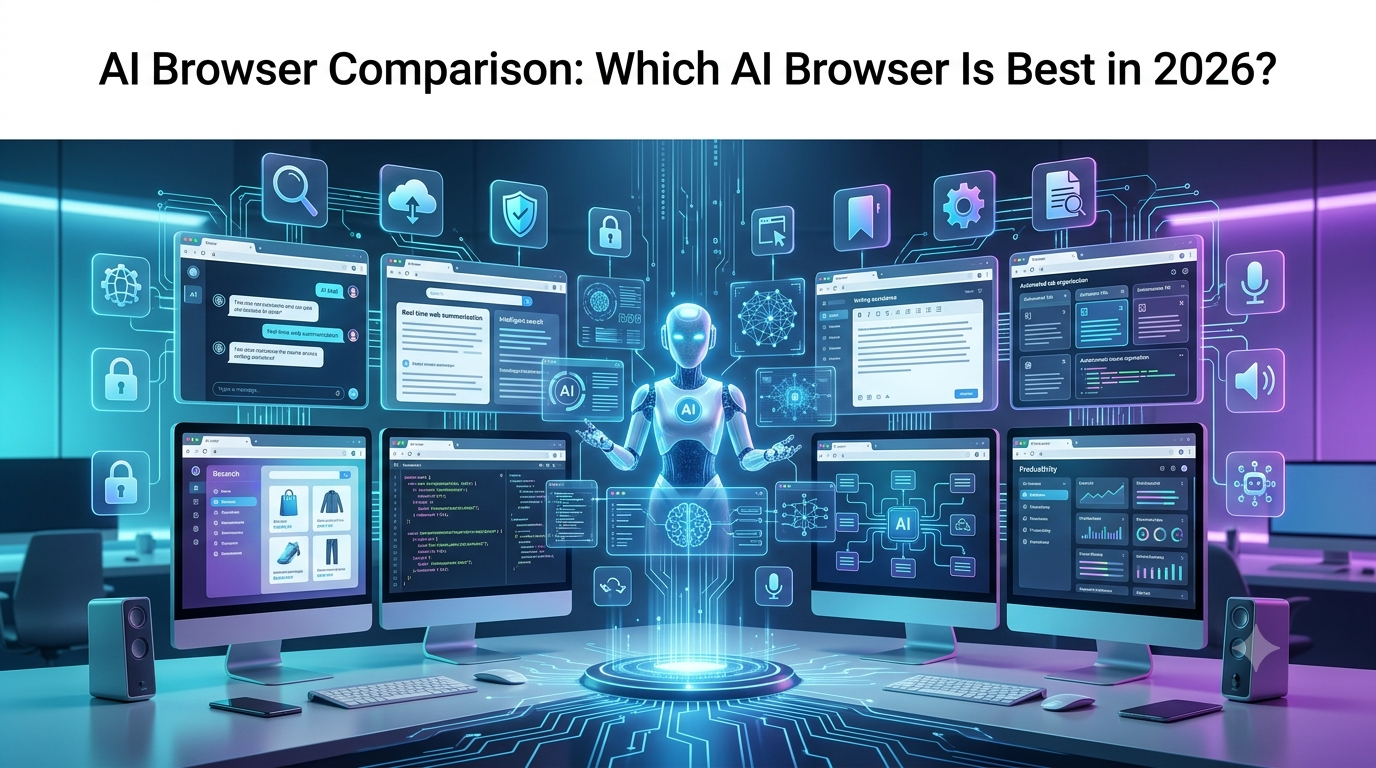
The web browser has always been the gateway to the internet, but in 2026, it has become much more than that. Instead of simply opening websites and displaying search results, modern browsers are evolving into intelligent digital assistants that can research information, summarize lengthy articles, answer questions, write emails, organize tabs, compare products, translate languages, and even complete online tasks on your behalf.
This transformation is being driven by artificial intelligence. Rather than forcing users to switch between dozens of browser tabs and separate AI chatbots, the latest generation of AI browsers brings powerful AI capabilities directly into the browsing experience. Whether you are conducting research, writing blog posts, coding software, shopping online, or managing business projects, AI browsers help you work faster and more efficiently without constantly leaving the page you’re viewing.
The rapid growth of large language models (LLMs), AI agents, and real-time web search has accelerated this shift. Companies such as Perplexity, Microsoft, Google, Opera, Brave, and The Browser Company are building browsers where AI is no longer just an optional feature—it becomes an integral part of how users interact with the web.
For businesses, AI browsers can automate repetitive workflows, assist customer support teams, and improve productivity across departments. Developers benefit from AI-powered coding assistance and documentation search, while students and researchers can summarize complex articles, compare multiple sources, and organize information within minutes. Content creators, marketers, and entrepreneurs can draft emails, create marketing copy, analyze competitors, and generate ideas without switching between multiple applications.
At the same time, choosing the right AI browser has become increasingly challenging. Some browsers focus on AI-powered search and research, while others emphasize productivity, privacy, writing assistance, or autonomous task execution. Certain browsers integrate deeply with Microsoft or Google’s ecosystems, while others are designed around entirely new AI-first experiences.
This comprehensive guide compares the best AI browsers in 2026, explains how AI browsers work, explores their advantages and limitations, compares their features, and helps you determine which browser best matches your workflow.
What Is an AI Browser?
An AI browser is a web browser that integrates artificial intelligence directly into the browsing experience, allowing users to perform research, writing, organization, and productivity tasks without relying on separate AI applications.
Unlike traditional browsers that simply display web pages, AI browsers understand natural language, analyze page content, provide contextual assistance, summarize information, and increasingly automate online workflows.
Instead of copying text from a webpage into an AI chatbot, users can simply ask questions while browsing. The browser understands the current page, analyzes multiple sources, and delivers relevant answers within the same interface.
Modern AI browsers typically include features such as:
- AI-powered search
- Webpage summaries
- Context-aware AI chat
- Writing assistance
- Translation
- Research organization
- Email drafting
- Tab management
- Content generation
- Shopping assistance
- Productivity tools
- Workflow automation
The goal is simple: reduce repetitive work while making browsing faster, smarter, and more productive.
Why AI Browsers Are Becoming So Popular
AI browsers are growing rapidly because they solve many of the frustrations associated with traditional web browsing.
Today’s internet users frequently keep dozens of tabs open while researching information, comparing products, writing reports, or managing projects. Finding reliable information often requires switching repeatedly between search engines, documents, AI chatbots, and note-taking applications.
AI browsers dramatically simplify this process.
Instead of manually reading ten different articles, an AI browser can summarize them within seconds. Instead of opening separate writing tools, users can draft content directly inside the browser. Rather than comparing multiple shopping websites manually, AI can highlight key differences and recommend suitable options.
Businesses are also embracing AI browsers because they reduce repetitive work, improve research efficiency, and streamline collaboration across teams.
The growing popularity of AI agents is another major factor. Many new browsers are beginning to evolve from simple assistants into intelligent systems capable of completing multi-step online tasks, making them significantly more useful than conventional browsers.
How Do AI Browsers Work?
Although every browser uses different technologies, most AI browsers follow a similar workflow.
Step 1: Understanding User Intent
Instead of relying only on keywords, AI browsers understand natural language.
For example, a user might ask:
“Compare the best mirrorless cameras under $1,500 and explain which one is best for travel photography.”
The browser understands the objective rather than treating it as a simple search query.
Step 2: Analyzing Web Content
The browser reads the current webpage or searches across multiple trusted sources to collect relevant information.
Unlike traditional browsers, AI browsers can understand the meaning of articles rather than simply displaying links.
Step 3: Using Large Language Models
Most AI browsers integrate advanced language models capable of:
- Summarizing information
- Answering questions
- Explaining technical concepts
- Rewriting content
- Translating languages
- Comparing products
- Organizing research
Instead of showing only search results, they generate contextual answers while still allowing users to access the original sources.
Step 4: Maintaining Context
One of the biggest improvements in modern AI browsers is context awareness.
Many browsers can remember:
- Current webpages
- Previous conversations
- Open tabs
- Selected documents
- Research sessions
This allows AI to provide much more relevant assistance than traditional browser search.
Step 5: Performing Actions
The newest generation of AI browsers is beginning to support agentic browsing, where AI not only provides answers but also performs tasks.
Depending on the browser, AI may help:
- Fill online forms
- Organize tabs
- Draft emails
- Compare prices
- Schedule appointments
- Navigate websites
- Collect research
- Complete repetitive workflows
These capabilities are gradually transforming browsers into intelligent productivity platforms rather than passive tools for viewing web pages.
AI Browser vs Traditional Browser
Although they may look similar at first glance, AI browsers fundamentally change how users interact with the web.
| Feature | Traditional Browser | AI Browser |
|---|---|---|
| Web browsing | Yes | Yes |
| AI-powered search | Limited | Built-in |
| Page summarization | No | Yes |
| Context-aware assistance | No | Yes |
| Writing support | Extensions required | Built-in |
| Research organization | Manual | AI-assisted |
| Translation | Basic | AI-enhanced |
| Workflow automation | Very limited | Growing rapidly |
| AI chat | External websites | Native integration |
| Multi-step task assistance | No | Increasingly supported |
Traditional browsers require users to perform most tasks manually. AI browsers reduce repetitive work by combining browsing, search, writing, and automation into one seamless experience.
AI-Native Browsers vs AI-Enhanced Browsers
Not every browser with AI features is built the same way. Understanding this distinction helps you choose the right browser.
AI-Native Browsers
AI-native browsers are designed around artificial intelligence from the beginning. AI is central to how users search, browse, organize information, and complete tasks.
Examples include browsers such as Comet and Dia, where conversational AI, research assistance, and workflow automation are core parts of the browsing experience.
These browsers are ideal for users who spend significant time researching, writing, or managing complex projects.
AI-Enhanced Browsers
AI-enhanced browsers began as traditional browsers and later added AI features.
Examples include Microsoft Edge with Copilot, Google Chrome with Gemini, Opera One, and Brave.
These browsers retain familiar browsing experiences while integrating AI assistants, page summaries, writing tools, and productivity features. They are often easier for existing users to adopt because they maintain compatibility with established workflows, extensions, and ecosystems.
AI-Assisted Browsers vs Agentic Browsers
Another important distinction emerging in 2026 is between AI-assisted browsers and agentic browsers.
AI-assisted browsers help users by answering questions, summarizing pages, generating text, translating languages, and explaining information. They still rely on the user to take most actions.
Agentic browsers go a step further. They can interpret high-level goals, break them into multiple steps, interact with websites, navigate pages, fill forms, gather information across multiple sources, and complete portions of a workflow with limited human intervention.
For example, instead of asking, “What are the cheapest flights?” an agentic browser may eventually be able to compare airlines, apply filters, monitor price changes, and prepare booking options for the user.
Although fully autonomous browsing is still evolving, browser AI agents are expected to become one of the most significant trends in the coming years.
Key Features to Look for in an AI Browser
Before choosing an AI browser, consider how well it fits your workflow rather than focusing only on AI capabilities.
The best AI browsers combine intelligent search, accurate page summarization, writing assistance, cross-tab understanding, extension compatibility, privacy controls, synchronization across devices, and smooth performance. They should also integrate naturally with the tools you already use, whether that is Microsoft 365, Google Workspace, GitHub, or productivity platforms like Notion and Slack.
For developers, coding support and documentation search may be essential. Writers and marketers may value content generation and research tools, while businesses often prioritize security, collaboration, and enterprise management features.
A great AI browser is not simply one with the most features—it’s one that enhances your everyday workflow without adding unnecessary complexity.
The Best AI Browsers in 2026
Now that we’ve covered how AI browsers work and what makes them different from traditional browsers, let’s compare the leading AI browsers available today, their standout features, strengths, limitations, and which users they’re best suited for.
Best AI Browsers in 2026: Complete Comparison
1. Comet – Best AI Browser for Research and AI-Powered Search
Perplexity AI Comet is one of the most advanced AI-first browsers available in 2026. Unlike traditional browsers that rely mainly on search engines and extensions, Comet is designed around AI-powered research, contextual understanding, and conversational browsing.
The biggest advantage of Comet is its ability to combine web search with AI reasoning. Instead of opening dozens of tabs and manually collecting information, users can ask complex questions and receive organized answers based on information gathered from multiple sources.
For example, a researcher comparing software tools can ask Comet to analyze different platforms, summarize reviews, identify important differences, and create a structured comparison. This makes it especially useful for students, analysts, marketers, and professionals who spend significant time researching information online.
Comet’s AI capabilities are focused on understanding the user’s browsing context. It can summarize articles, explain complex topics, analyze webpages, and help users extract important information without leaving the browser.
Key Features
- AI-powered web search
- Contextual webpage analysis
- Research assistance
- AI summaries
- Conversational browsing
- Information comparison
Best For
Researchers, students, journalists, marketers, and knowledge workers who need accurate information quickly.
Advantages
Comet stands out because it combines search and AI reasoning in one experience. It reduces the time required for online research and provides a more interactive alternative to traditional search engines.
Limitations
Users who mainly need a conventional browsing experience with occasional AI assistance may find AI-first browsers like Comet different from familiar browsers such as Chrome or Edge.
2. Dia Browser – Best AI Browser for Productivity
The Browser Company Dia is an AI-native browser designed around productivity and everyday workflows. Rather than treating AI as an additional feature, Dia integrates artificial intelligence directly into browsing.
The browser focuses on helping users manage information, write content, summarize webpages, and interact with online resources more efficiently.
For professionals who spend hours researching documents, preparing reports, writing emails, or managing online projects, Dia provides a more streamlined experience by reducing the need to constantly switch between browser tabs and AI tools.
One of Dia’s biggest strengths is its focus on workflow improvement. Instead of simply answering questions, it aims to understand what users are working on and provide relevant assistance within the browsing environment.
Key Features
- AI chat inside the browser
- Content summarization
- Writing assistance
- Research organization
- Context-aware assistance
Best For
Writers, office professionals, students, entrepreneurs, and productivity-focused users.
Advantages
Dia provides a modern AI-first browsing experience that feels closer to having a digital assistant inside the browser rather than simply using an AI chatbot.
Limitations
Because AI-native browsers are still developing, some users may prefer established browsers with larger extension ecosystems.
3. Microsoft Edge with Copilot – Best AI Browser for Business Users
Microsoft Edge has become one of the strongest AI-enhanced browsers because of its integration with Copilot and Microsoft’s broader productivity ecosystem.
For users already working with Microsoft 365 applications such as Word, Excel, Teams, and Outlook, Edge provides a connected AI experience that fits naturally into existing workflows.
Microsoft Copilot inside Edge can summarize webpages, analyze information, rewrite content, answer questions, and assist with research. Business users can also benefit from enterprise security controls and integration with workplace tools.
A marketing professional, for example, can research competitors, summarize industry reports, create content ideas, and prepare documents while staying inside the browser.
Key Features
- Microsoft Copilot integration
- AI webpage summaries
- Writing assistance
- PDF analysis
- Enterprise security features
- Microsoft 365 integration
Best For
Businesses, enterprise users, Windows users, and professionals already using Microsoft products.
Advantages
The biggest strength of Edge is ecosystem integration. Companies already using Microsoft services can adopt AI-powered browsing without completely changing their existing workflows.
Limitations
Users outside the Microsoft ecosystem may not experience the same level of integration benefits.
4. Google Chrome with Gemini – Best AI Browser for Google Users
Google Chrome remains the world’s most widely used browser, and Google’s integration of Gemini AI is making it significantly smarter.
Chrome users benefit from Google’s massive ecosystem, including Google Search, Google Workspace, Gmail, Drive, and Docs. Gemini integration allows users to receive AI assistance while browsing, improving productivity for people already connected to Google’s services.
Chrome’s biggest advantage is familiarity. Millions of users already depend on Chrome, and AI features can be added without learning an entirely new browser.
Students can use AI assistance for research and learning, professionals can summarize documents, and businesses can improve productivity through Google Workspace integration.
Key Features
- Gemini AI integration
- AI-powered search assistance
- Writing support
- Translation
- Google Workspace connectivity
- Smart browsing features
Best For
Students, professionals, businesses, and Google ecosystem users.
Advantages
Chrome offers unmatched compatibility, extension support, and ecosystem integration.
Limitations
Chrome has historically been demanding on system resources, and users looking for a completely AI-first experience may prefer newer AI-native browsers.
5. Opera One – Best AI Browser for Built-In Features
Opera Opera One combines traditional browsing features with integrated AI tools designed to improve everyday productivity.
Opera has always focused on adding useful browser features, including built-in communication tools, workspace management, and privacy features. Its AI capabilities continue this approach by bringing intelligent assistance directly into the browser.
Users can summarize content, generate text, ask questions, and improve productivity without installing multiple extensions.
Opera One is particularly attractive for users who want AI features but do not want to completely change how they browse.
Key Features
- Built-in AI assistant
- Content generation
- Webpage summaries
- Workspace management
- Privacy tools
Best For
Everyday users, students, and professionals looking for an all-in-one browser.
Advantages
Opera provides a balance between traditional browsing and AI-powered productivity.
Limitations
It may not provide the same depth of AI research capabilities as AI-native browsers.
6. Brave Browser – Best AI Browser for Privacy
Brave Software Brave takes a different approach by combining AI assistance with privacy-focused browsing.
Unlike many browsers that rely heavily on cloud-based services, Brave emphasizes user privacy, tracking protection, and secure browsing. Its AI features are designed for users who want intelligent assistance without giving up control over their browsing data.
Brave is especially appealing to privacy-conscious individuals, security professionals, and users who prefer alternatives to large technology ecosystems.
Key Features
- Privacy-focused browsing
- AI assistant
- Built-in ad blocking
- Tracking protection
- Secure search
Best For
Privacy-focused users and security-conscious professionals.
Advantages
Brave provides one of the strongest combinations of AI features and privacy protection.
Limitations
Users looking for advanced AI automation may find its capabilities more limited compared with dedicated AI-native browsers.
7. Arc Browser – Best AI Browser for Power Users
Arc focuses heavily on improving how users organize and manage their digital workspace.
Instead of treating browsing as a collection of random tabs, Arc introduces a workspace-based approach that helps users separate projects, research areas, and personal browsing.
Its AI features improve organization, productivity, and information management.
For designers, developers, researchers, and professionals managing multiple projects, Arc provides a more structured browsing experience.
Best For
Power users, creators, developers, and professionals handling multiple workflows.
Advantages
Excellent workspace management and productivity-focused design.
Limitations
The unique interface may require adjustment for users accustomed to traditional browsers.
8. SigmaOS – Best AI Browser for macOS Productivity
SigmaOS is designed specifically around productivity and organization for Mac users.
Instead of focusing only on AI chat features, SigmaOS combines workspaces, task management, and intelligent organization tools to create a complete productivity environment.
It is particularly useful for entrepreneurs, remote workers, and professionals who manage multiple online projects.
Best For
Mac users who want a productivity-focused browsing experience.
Advantages
Strong organization features and workflow management.
Limitations
Its macOS-focused approach limits accessibility for users on other platforms.
AI Browser Comparison Table 2026
| AI Browser | Best For | Main Strength |
|---|---|---|
| Comet | Research | AI-powered search and analysis |
| Dia | Productivity | AI-first browsing workflows |
| Microsoft Edge | Business | Copilot and enterprise integration |
| Chrome with Gemini | Google users | Ecosystem compatibility |
| Opera One | General users | Built-in AI features |
| Brave | Privacy | Secure AI browsing |
| Arc | Power users | Workspace organization |
| SigmaOS | Mac users | Productivity management |
Best AI Browser by User Type
Best AI Browser for Students
Students need browsers that can simplify research, summarize academic content, explain difficult topics, and organize information.
Comet, Dia, and Chrome with Gemini are strong options because they provide AI-powered research assistance and learning support.
Best AI Browser for Writers and Bloggers
Content creators need tools that help with research, writing, editing, and idea generation.
Dia, Comet, and Microsoft Edge are useful choices because they combine browsing with AI writing capabilities.
Best AI Browser for Developers
Developers often require documentation research, coding assistance, and efficient project management.
Arc, Edge with Copilot, and AI-first browsers with strong reasoning capabilities are suitable choices.
Best AI Browser for Businesses
Businesses should prioritize security, integration, and workflow automation.
Microsoft Edge with Copilot is especially strong for organizations already using Microsoft tools, while Chrome with Gemini works well for companies using Google Workspace.
Best AI Browser for Privacy
For users who prioritize privacy, Brave remains one of the strongest options because of its security-focused approach.
AI Browser Security and Privacy: What Users Should Know in 2026
As AI browsers become more powerful, security and privacy have become some of the most important factors to consider. Traditional browsers mainly display websites and store browsing data, but AI browsers can understand page content, access information, remember context, and in some cases perform actions on behalf of users.
This additional capability creates new opportunities but also introduces new risks.
An AI browser that can summarize documents, access emails, interact with business tools, or complete online tasks needs appropriate permissions. If these permissions are not managed properly, sensitive information could potentially be exposed.
For individuals, this means choosing browsers with strong privacy controls. For businesses, it means implementing proper security policies before allowing AI browsers to access company systems.
Common Security Risks of AI Browsers
1. Data Privacy Concerns
Many AI browsers rely on cloud-based AI models to process user requests. This means information from webpages, documents, or conversations may be sent to external servers for processing.
Users should understand:
- What data the browser collects
- Whether conversations are stored
- How information is used
- Whether data is encrypted
- What privacy controls are available
This is especially important for professionals working with confidential documents, financial information, customer data, or business strategies.
2. Prompt Injection Attacks
Prompt injection is one of the biggest challenges facing AI-powered browsers.
A malicious webpage could contain hidden instructions designed to manipulate an AI assistant into performing unwanted actions.
For example, an AI browser agent visiting a website might encounter hidden instructions attempting to make it reveal private information or ignore user preferences.
As browsers become more autonomous, protecting against these attacks will become increasingly important.
3. Excessive Permissions
AI agents become more useful when they can access more tools, but excessive permissions create security risks.
A browser assistant that can access:
- Emails
- Cloud storage
- Banking information
- Business applications
- Personal documents
requires careful permission management.
The safest approach is giving AI browsers only the access they actually need.
4. Incorrect AI Decisions
Although AI browsers are becoming more intelligent, they are not perfect.
AI-generated summaries may miss important details. Automated actions may occasionally produce mistakes. Research results may require human verification.
Users should treat AI browsers as productivity assistants rather than completely independent decision-makers.
AI Browsers vs AI Extensions: Which Is Better?
Before AI browsers became popular, many users relied on browser extensions to add artificial intelligence features.
AI writing assistants, summarization tools, translation extensions, and chatbot plugins allowed users to add AI capabilities to existing browsers.
However, AI browsers provide a deeper level of integration.
| AI Extensions | AI Browsers |
|---|---|
| Added separately | AI built into browser |
| Limited webpage understanding | Full browsing context |
| Usually one task at a time | Multiple workflow support |
| Requires managing extensions | Unified experience |
| Limited automation | Growing agent capabilities |
Extensions are still useful, especially for specific tasks, but AI browsers are moving toward becoming complete productivity platforms.
AI Browsers and the Rise of Browser AI Agents
One of the biggest trends shaping the future of browsing is the development of AI browser agents.
Traditional browsers wait for users to perform every action manually.
AI agents can understand goals and assist with completing multiple steps.
For example, instead of manually researching a business trip, an AI browser agent could potentially:
- Find suitable destinations
- Compare flights and hotels
- Analyze reviews
- Organize options
- Prepare a travel plan
Similarly, business users could use browser agents to:
- Research competitors
- Collect market information
- Prepare reports
- Draft communication
- Update business systems
This shift represents a move from “search and click” browsing toward “tell and complete” browsing.
However, fully autonomous browsing is still developing. Human supervision remains important, especially when tasks involve money, private information, or important decisions.
AI Browser Performance: Things to Consider
While AI features provide significant benefits, users should also consider performance.
AI browsers may require more system resources compared with traditional browsers because they run additional AI processes.
Important factors include:
RAM Usage
Browsers with built-in AI assistants, multiple workspaces, and automation features may consume more memory.
Users with older computers should consider lightweight options.
Battery Consumption
AI processing, background synchronization, and constant assistant availability can affect laptop battery life.
Speed
A good AI browser should provide intelligent features without significantly reducing browsing performance.
Extension Compatibility
Many users depend on browser extensions for work and productivity. Compatibility with existing extensions remains an important consideration.
AI Browser Comparison: Which Browser Should You Choose?
There is no single AI browser that is perfect for everyone. The best choice depends on your needs, preferred ecosystem, and the type of work you perform.
Choose Comet If You Need Advanced Research
Comet is ideal for users who spend significant time searching, analyzing information, and comparing multiple sources.
Researchers, students, journalists, and professionals who work with large amounts of information will benefit most from its AI-first approach.
Choose Dia If You Want an AI Productivity Assistant
Dia is a strong option for users who want AI integrated into everyday workflows.
Writers, marketers, entrepreneurs, and office professionals can benefit from its ability to assist with writing, organization, and research.
Choose Microsoft Edge If You Use Microsoft Tools
For businesses already using Microsoft 365, Edge with Copilot provides one of the most practical AI browser experiences.
Its enterprise features, security options, and integration with workplace applications make it suitable for professional environments.
Choose Chrome with Gemini If You Use Google Services
Chrome remains the easiest choice for users who already depend on Google products.
Its combination of familiar browsing, extension support, and Gemini integration makes it a convenient upgrade from traditional browsing.
Choose Brave If Privacy Matters Most
Users who prioritize privacy and security should consider Brave.
Its focus on tracking protection and user control makes it different from many mainstream browsers.
The Future of AI Browsers
AI browsers are still in the early stages of a much larger transformation.
Over the next few years, browsers are expected to become significantly more intelligent, moving beyond simple assistants toward complete AI-powered work environments.
Future AI browsers may include:
Advanced AI Agents
Browsers will increasingly perform multi-step tasks independently while maintaining user approval and control.
Multimodal Browsing
Future browsers will understand text, images, audio, and video together.
Users may be able to ask questions about videos, screenshots, diagrams, or visual information directly from the browser.
Voice-Based Browsing
Voice interaction will become more natural, allowing users to control browsers through conversations rather than clicks and typing.
Personalized AI Assistants
Browsers may develop deeper understanding of user preferences, work habits, and frequently used tools.
A personalized browser assistant could help organize projects, manage information, and automate repetitive tasks.
Integration With AI Agents and MCP
As technologies like AI agents and Model Context Protocol (MCP) become more common, browsers will become better at connecting with external applications, databases, and business systems.
This could allow browsers to become central hubs for interacting with digital tools.
Are AI Browsers Going to Replace Chrome?
AI browsers are improving rapidly, but traditional browsers like Chrome, Edge, and Safari are unlikely to disappear immediately.
Many users still value:
- Speed
- Familiar interfaces
- Extension support
- Reliability
- Ecosystem compatibility
Instead of completely replacing traditional browsers, AI browsers are likely to gradually change how people use the internet.
Major browsers will continue adding AI features, while AI-native browsers will push innovation with new approaches to search, automation, and productivity.
The future may not be about choosing between traditional browsers and AI browsers. Instead, almost every major browser may eventually become AI-powered.
Final Verdict: Which Is the Best AI Browser in 2026?
The best AI browser depends on your personal requirements.
For AI-powered research and information discovery, Comet is one of the strongest choices.
For productivity-focused users who want an AI assistant integrated into browsing, Dia offers an impressive experience.
For businesses and professionals already using Microsoft products, Microsoft Edge with Copilot provides excellent integration.
For users who prefer Google’s ecosystem, Chrome with Gemini remains a practical choice.
For privacy-conscious users, Brave provides a strong balance between AI features and security.
For power users who manage multiple projects, Arc and SigmaOS offer unique workspace-focused experiences.
AI browsers represent one of the biggest changes in how people interact with the internet. They are transforming browsers from simple tools for accessing websites into intelligent assistants capable of helping users research, create, automate, and complete tasks faster.
As AI technology continues to advance, browsers will become more personalized, more capable, and more deeply connected with the tools people use every day.
Understanding AI browsers today will help individuals and businesses prepare for a future where browsing is no longer just about finding information—it is about getting things done.












Leave a Reply